Automatic statement reconciliation

Your bank statement should audit your bank feed.

A transaction feed is useful, but it is not the independent evidence that closes a month. Zeno retrieves the bank-branded statement, reads it, matches it against the register, and sends genuine gaps back through the same rules and review queue as the feed.

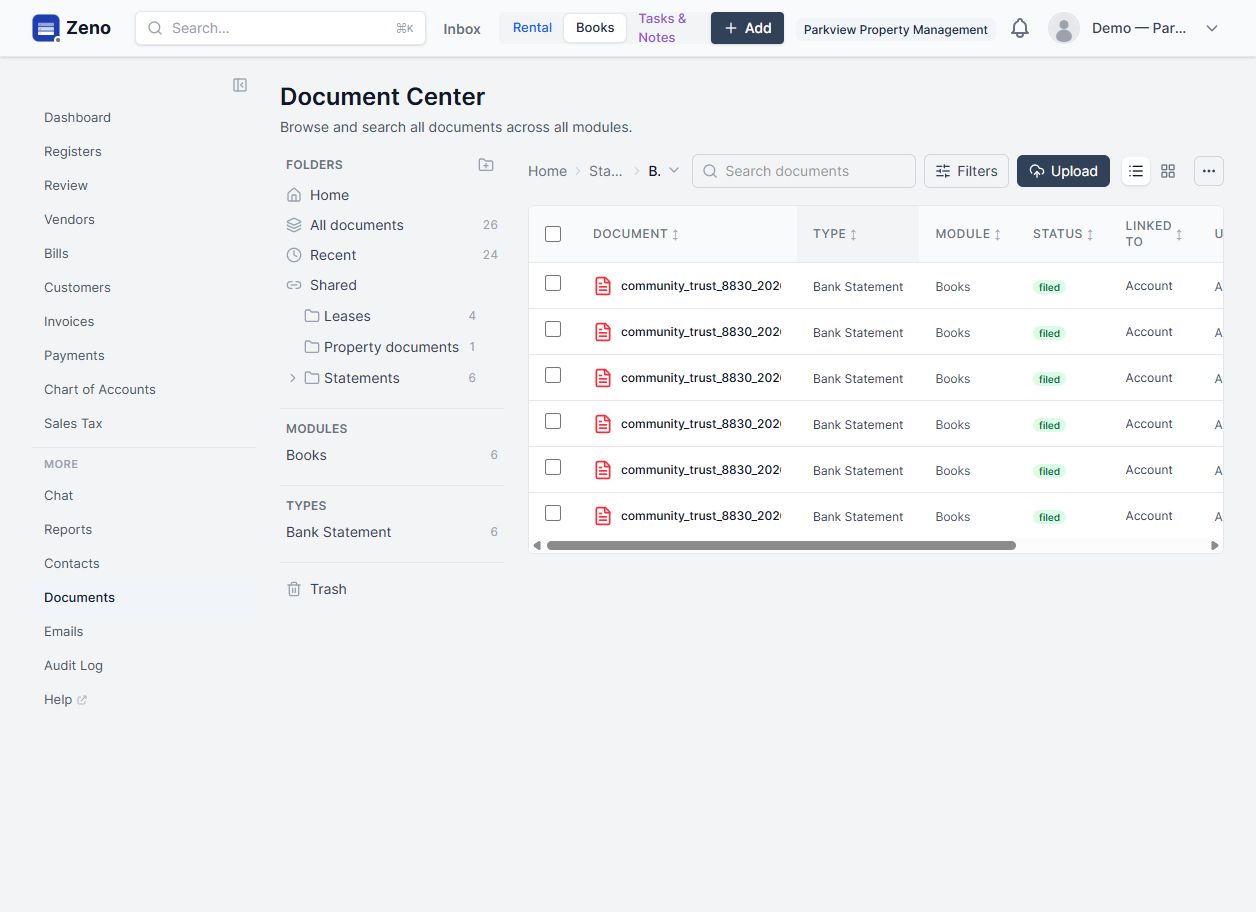
Six filed Community Trust bank statements linked to an operating account in Zeno
Original PDFThe bank-branded statement remains filed against the account.
6 statementsSix synthetic monthly statements are visible in the live demo.
One queueFeed transactions and true statement gaps pass through the same controls.
The closed loop

The statement does more than supply an ending balance.

It becomes a first-class document, an independent control, and a source of reviewable work. Nothing is posted twice, and Zeno does not turn an ambiguous line into a confident-looking guess.

02 · Evidence stays visible

Open the source without leaving the accounting record.

The original PDF is not discarded after extraction. It stays linked to the financial account beside the parsed balance and transaction lines whenever a reviewer needs the bank's own evidence.
03 · Statement beside register

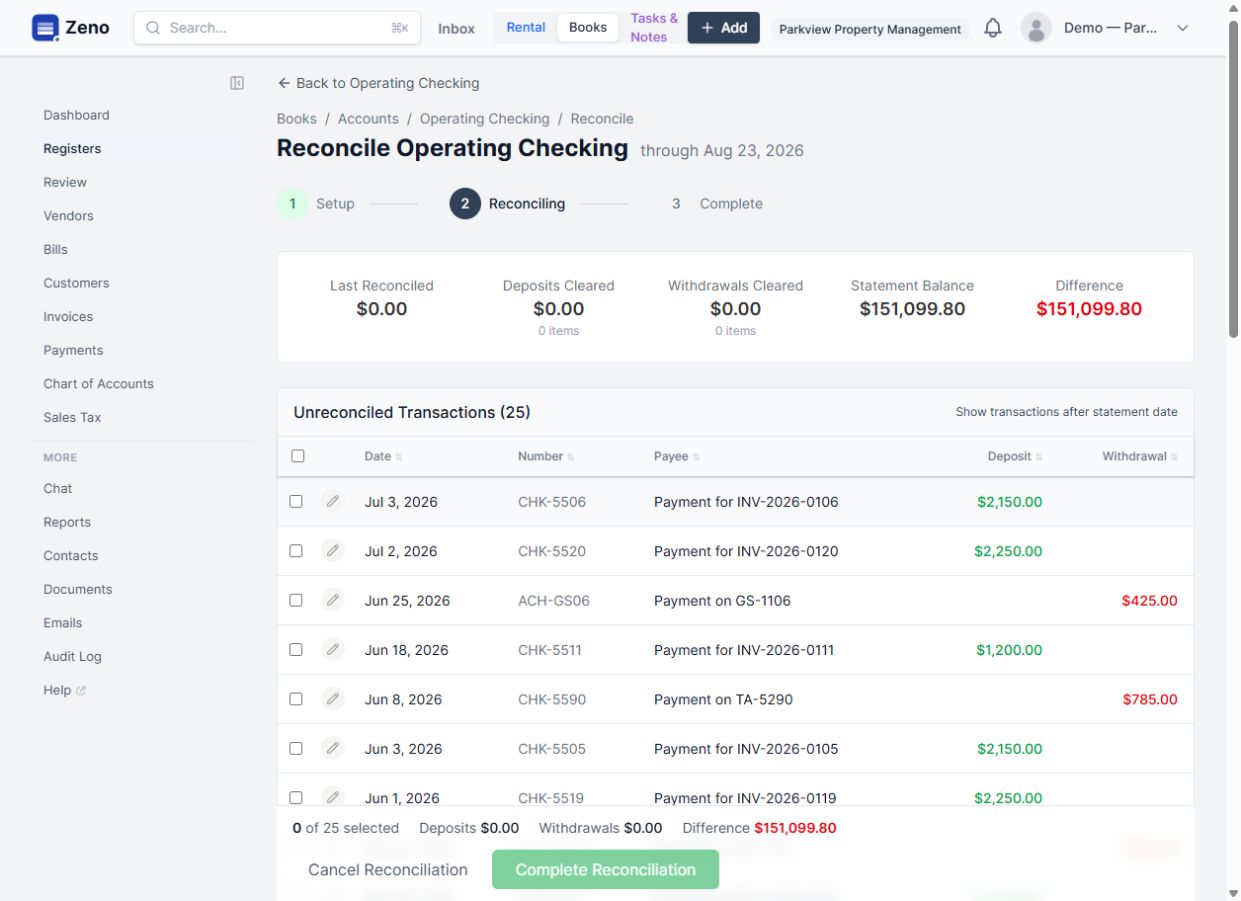
Match what agrees. Isolate what needs work.

Zeno compares the statement period and lines against the register. Exact matches clear automatically; duplicates and ambiguous candidates remain visible without being invented into the ledger.

04 · Governed correction

A missing line becomes review work, not a silent posting.

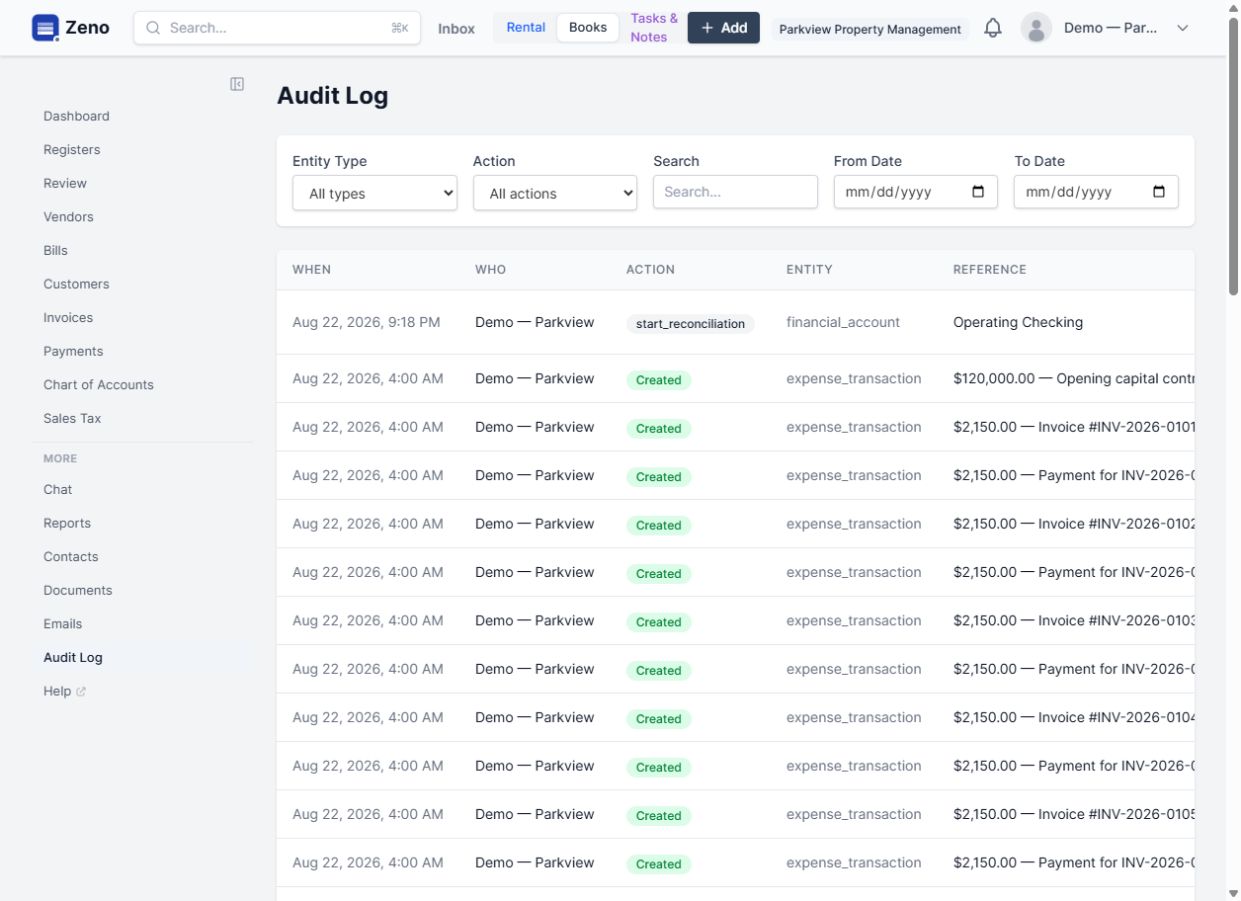
Only genuine statement-only activity is staged into the bank-feed queue. Rules, history, entity suggestions, and human approval apply there, while the reconciliation action remains visible in the audit trail.

Direct captures from the public Parkview Property Management sandbox on August 22, 2026. Sample names and financial data are synthetic; the product interface has not been recreated.

How the month closes

From bank PDF to explained difference.

The same workflow works whether the statement arrived through Plaid or was uploaded by a person.

01

Retrieve and file

Fetch the exact statement, deduplicate it, and file it against the right account.

02

Parse once

Extract its date, ending balance, and lines while retaining the original PDF.

03

Match the register

Clear unambiguous matches using amount, date, reference, and context.

04

Classify differences

Separate missing activity from duplicates, ambiguity, and arithmetic problems.

05

Stage true gaps

Send only actionable missing lines into the existing feed review queue.

06

Approve and retain

Post approved work and preserve the statement, decision, and audit lineage.

Control, not theater

Automation is useful only when the reconciliation remains trustworthy.

The statement is independent

The feed does not certify itself. Zeno checks it against the institution's own statement.

Ambiguity is surfaced

Possible duplicates and close matches are shown instead of being guessed into the ledger.

Closed work stays protected

Edits to reconciled activity surface as exceptions instead of silently changing a closed period.

The rest of the system

One capability makes the next one stronger.

Explore the platform →

Bring us the workflow that should be easier.

We’ll map it against the working product and show you exactly where Zeno changes the job.